USWDS Dynamic Tooltip
While implementing a new section in a client site, I noticed that the tooltip component provided only static content. Because the user interface relied on changing button states, we needed dynamic feedback to help users understand the context behind each action. Custom-building a tooltip wasn't feasible within the project timeline, and the client's design system heavily depended on USWDS. I examined the component's underlying code and created a patch that allowed tooltips to update based on user interactions, all while maintaining accessibility and design system consistency. After testing and integrating the fix, I submitted the enhancement back to the USWDS community.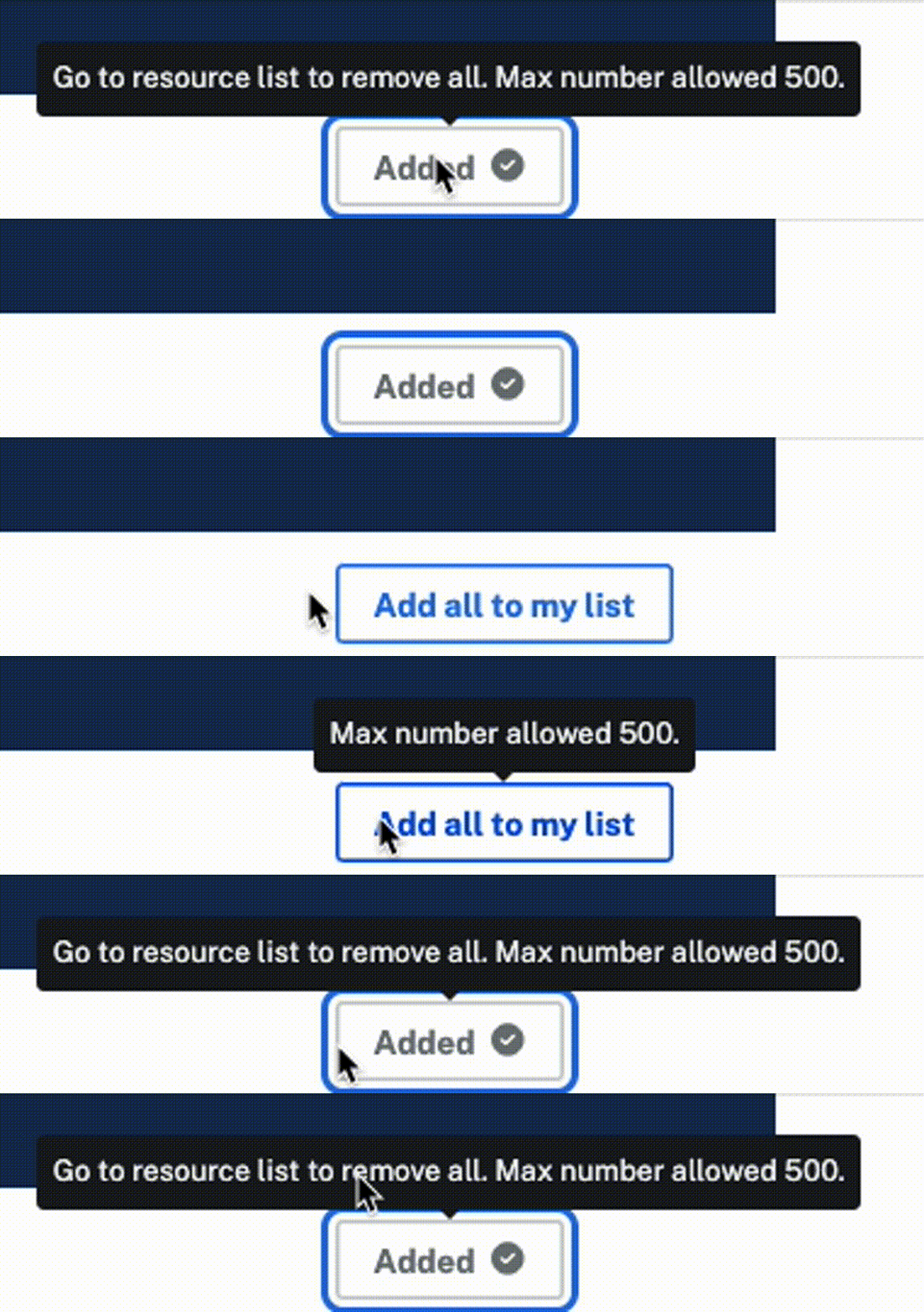 Demonstration of successful dynamic tooltip updates
- Drupal
- JavaScript
- jQuery
- DOM Manipulation
- APIs
- State
Project Purpose
This was a feature for a new section of a client's website. My focus was building out the functionality for a list of resources, including toggle buttons that would update state, a loading indicator timed to appear before page load and vanish when the DOM finished loading, and a button that needed to convey several different states depending on user interaction. Without the tooltip providing feedback, users would not have a clear explanation for the changing state of the button.
Tech Stack & Approach
The site was already built in Drupal, which generally uses PHP for its backend, but the new functionality would require a carefully choreographed dance with the DOM to allow each component to appear at the correct time. DOM interactions require JavaScript, and the custom module for this functionality was written in JavaScript with jQuery.
Challenges & Lessons Learned
The custom module powering this feature included thousands of lines of code and underwent several refactors. As our team approached launch, the UX designer, senior engineer, and I realized the tooltip was a critical blocker. Without dynamic messaging, users wouldn't understand the shifting states of key interface elements. In an emergency planning session, I proposed exploring the USWDS source code. Within an hour, I located the issue, developed the override, tested it, and patched it into the build. The enhancement resolved the UX challenge and allowed the team to move forward without rearchitecting major components under deadline pressure. Lesson learned: never underestimate my capabilities.
 Tooltip initial messaging
 Tooltip message dynamically changed on user interaction